
If you have decided to leave our community, we want to make sure you have properly uninstalled our app, so please follow these instructions here: https://callassistantapphelp.zendesk.com/hc/en-us/articles/360048684572-How-to-Prepare-to-Uninstall
Once uninstalled, go to the play store on your phone and select the menu by selecting the three horizontal lines in the top left corner of the Playstore app: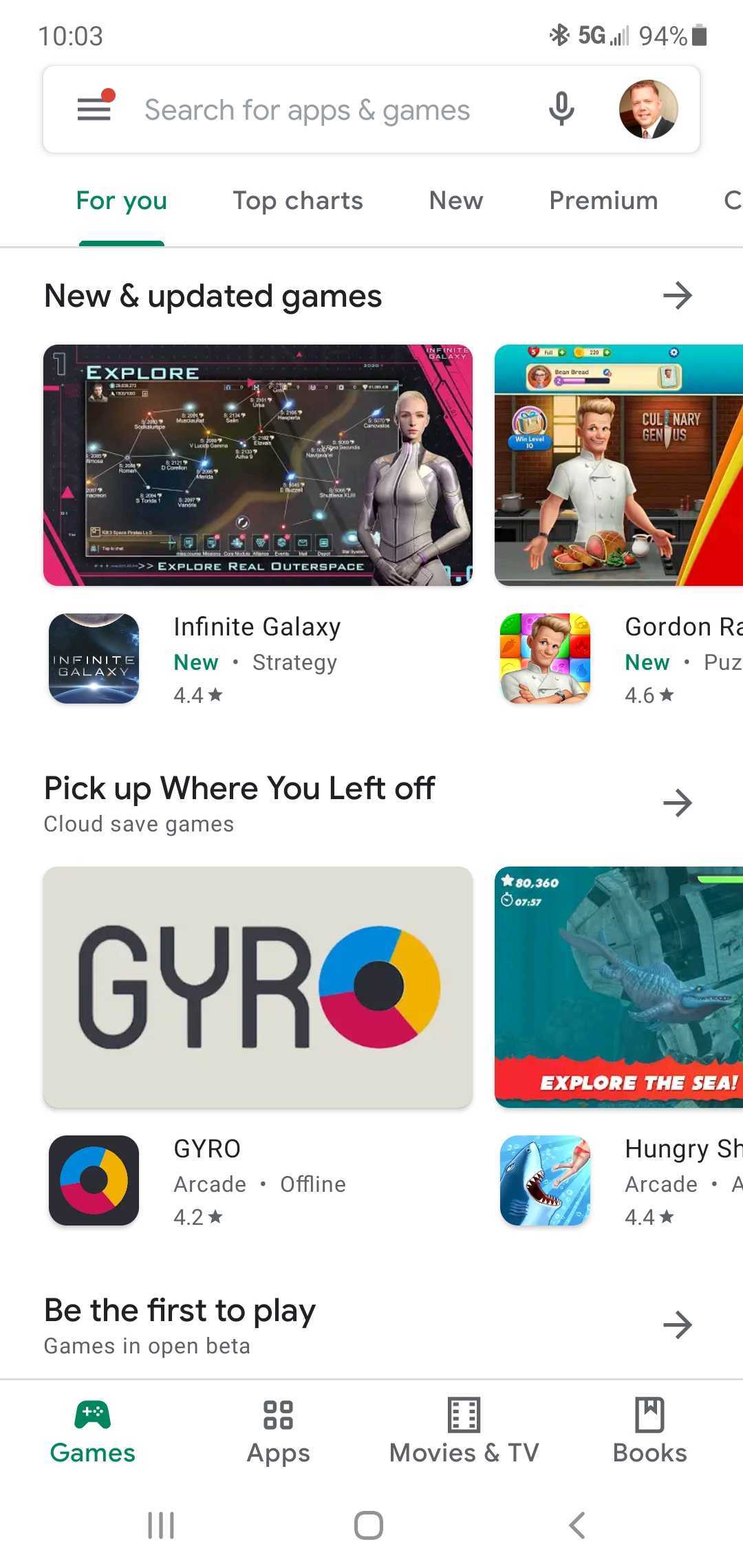
Then select subscriptions (4th down):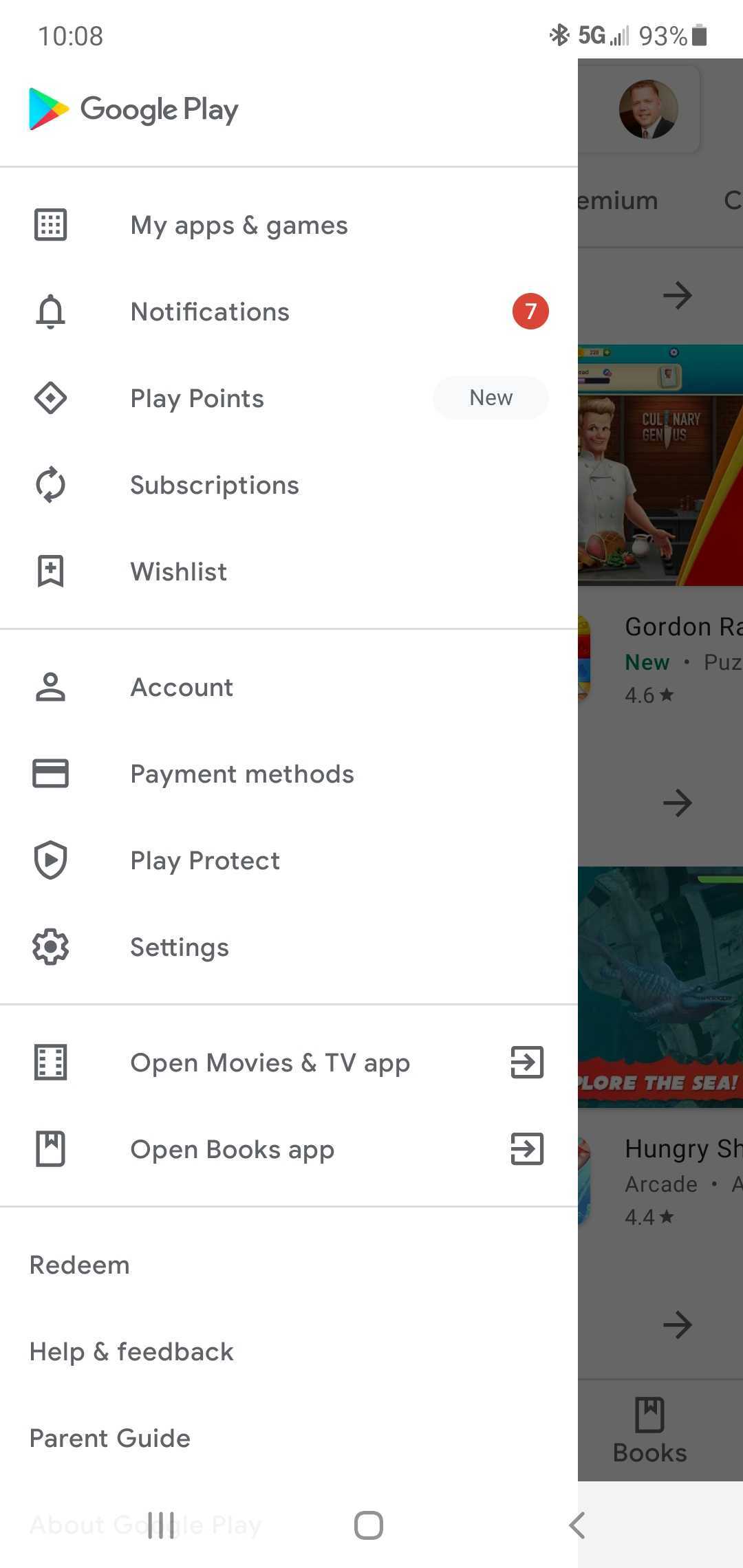
Find and select the Call Assistant subscription: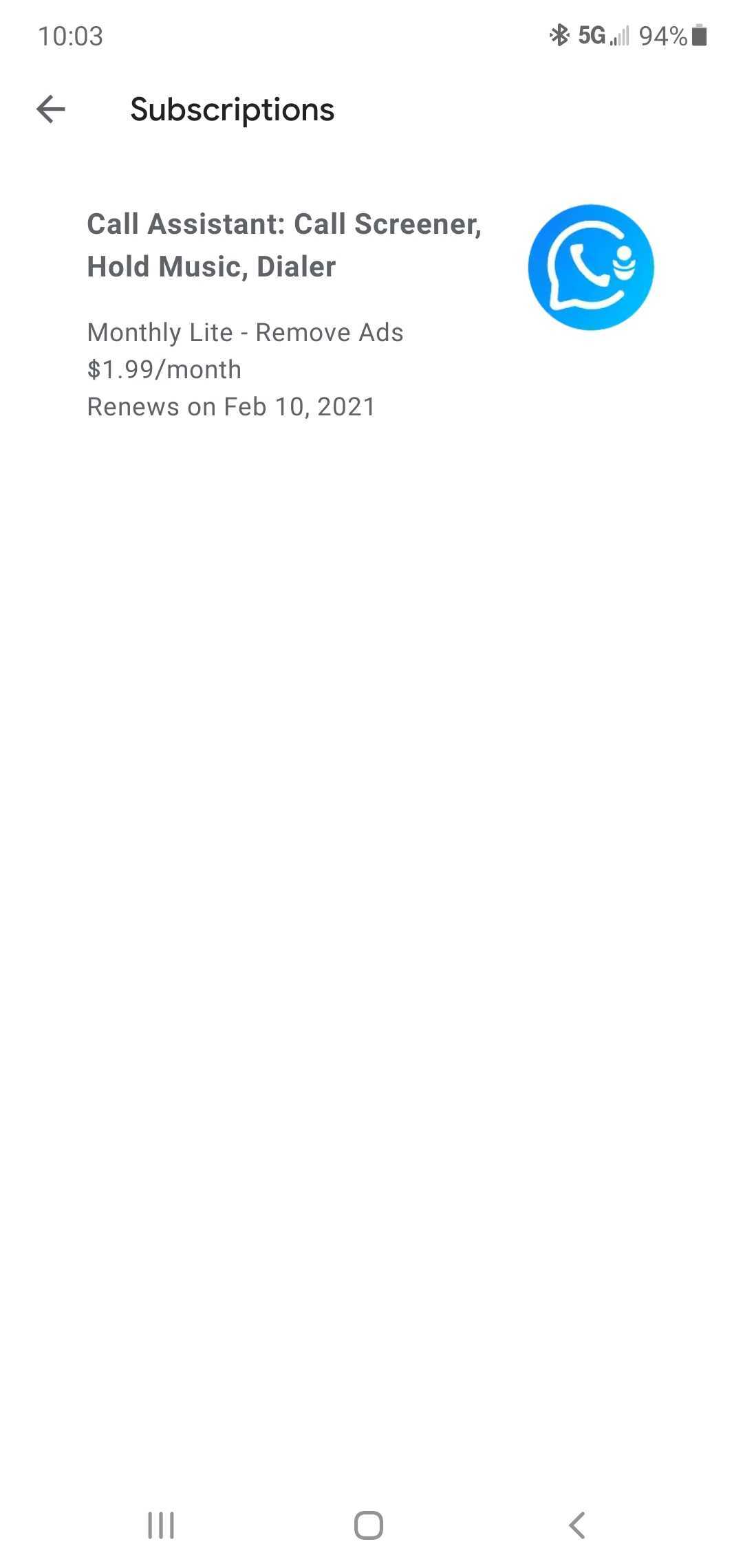
Then select "cancel subscription" at the bottom of the screen.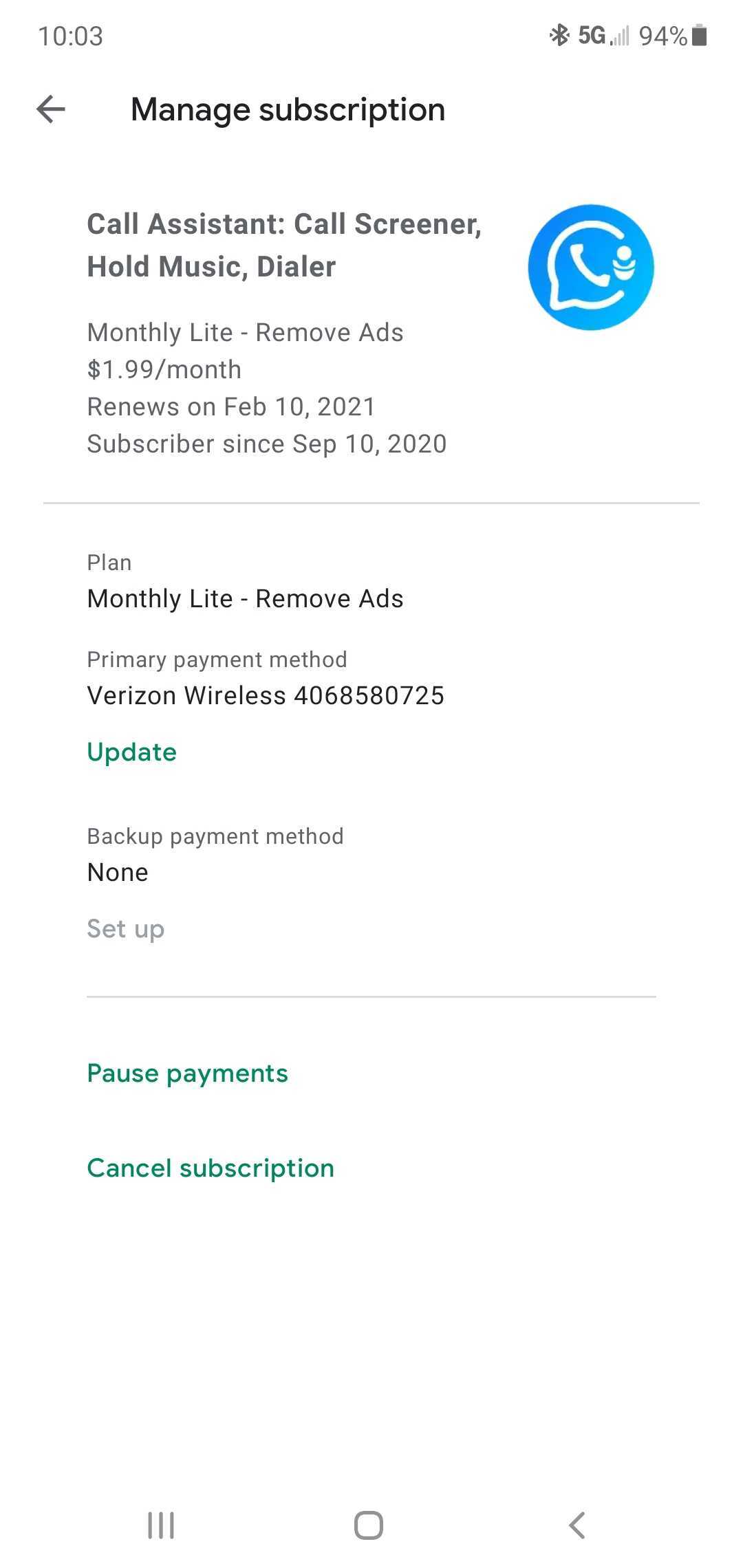
If you can not find your subscription then follow these instructions to locate your subscription:
Find your google play store subscription transaction ID:
- Visit payments.google.com
- Log in to your Google Account
- You’ll see a list if your transactions. Locate the transaction for Call Assistant, Inc.
- You’ll find your transaction ID from Google Play below the amount you paid for the app
- Copy your transaction ID and past into the support ticket so we can find your transaction ID in our system.
Thank you and have an awesome day! The Call Assistant Customer Support Team
Support hours: M-F 8am-5pm PST
Support hours: M-F 8am-5pm PST
Comments
0 comments
Please sign in to leave a comment.