
Yes! Call Assistant has a dark mode feature that is very easy on the eyes. Let's show you how to turn it on.
1) First, open the Call Assistant settings through the menu.
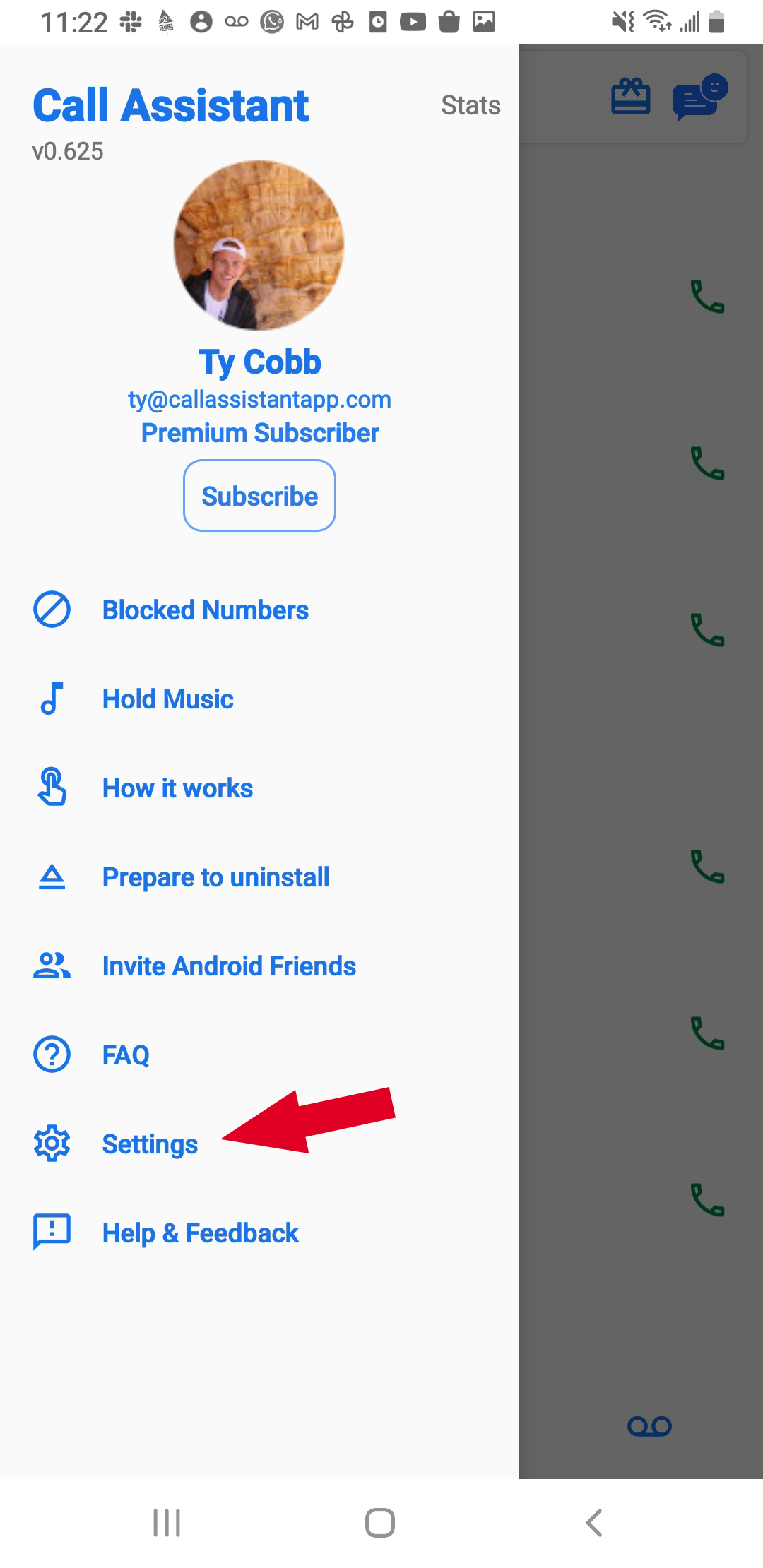
2) Now scroll down to the general section. Click on the dark mode option.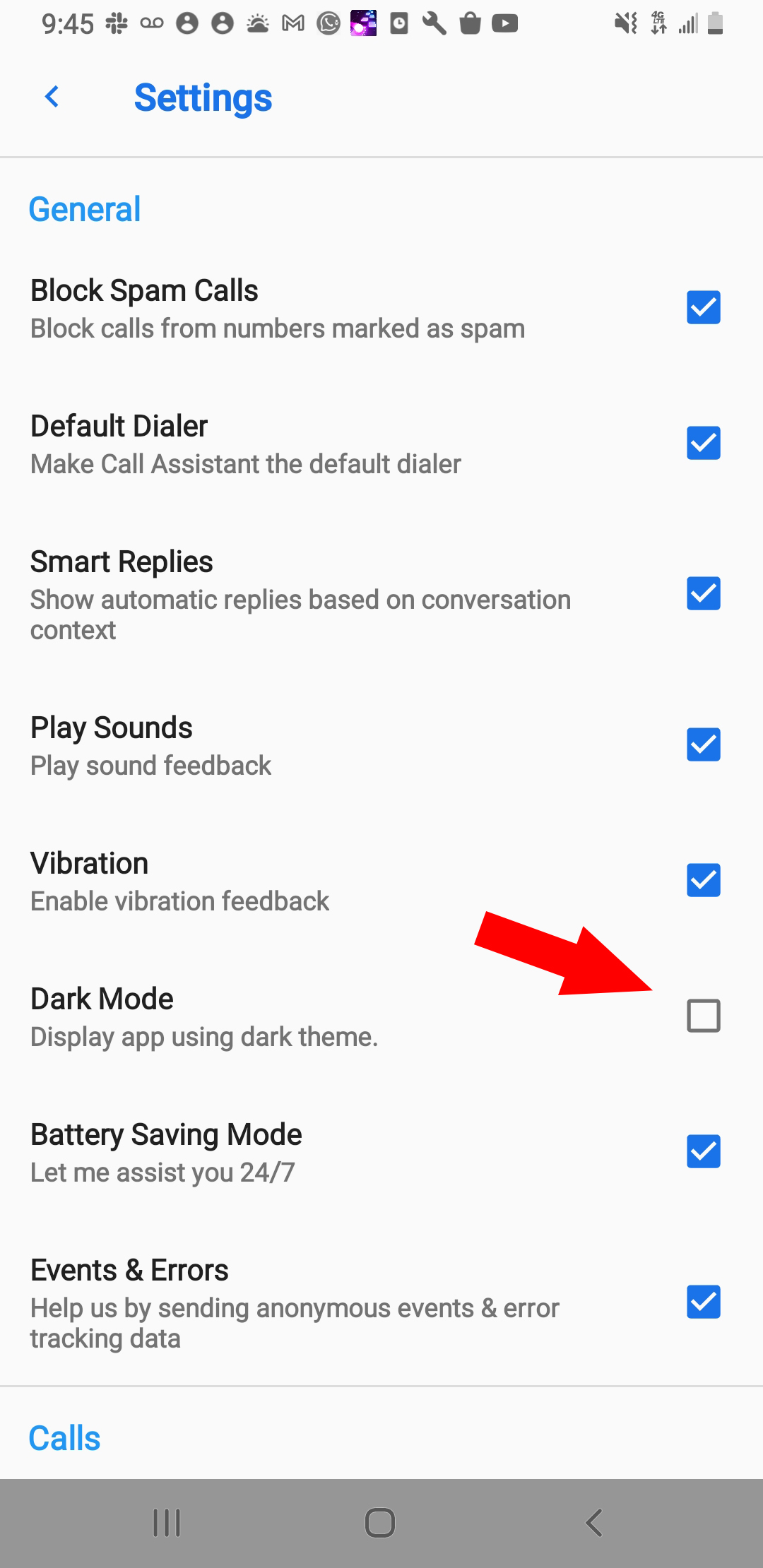
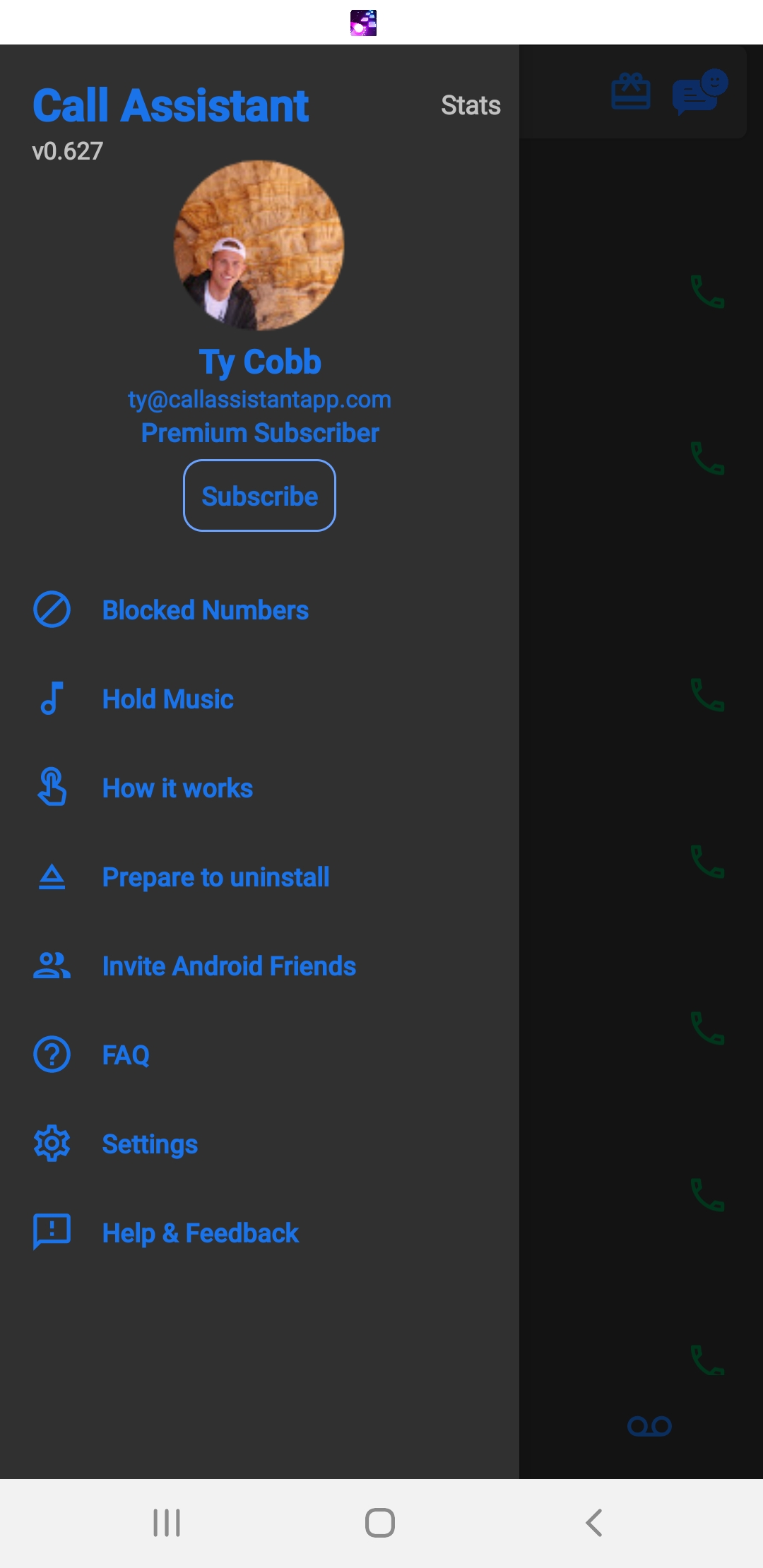
3) Once enabled, Call Assistant will now be in dark mode.
The Call Assistant Customer Support Team
Support hours: M-F 8am-5pm PST
Comments
0 comments
Please sign in to leave a comment.